Showing posts with label Tech. Show all posts

Instagram Launches New Features To Like Stories


Instagram has launched a new features to like stories without the necessary efforts of reacting to stories via Dm. Currently, you can only use the in-built reactions like happy, sad heart e.t.c to react to a story. 

This news was shared by Instagram head Adam’s Moserri, he pointed out how reacting to stories makes DM very clumsy as every reaction you get on your stories, sends a new DM message.

"The idea here is to make sure that people can express more support for each other, but also clean up DMs a little bit. Messaging is a key priority for us, and a big piece of that is focusing on DMs between you and the people that you care about." 
— Instagram Head Adam Mosseri

Instagram head Adam Mosseri also pointed out that the likes will be made private and will not show several counts. A notification will only be sent to the story uploader when there is a new-like. 

Instagram has never stopped adding new features to its app. The app is currently testing other features like NFT marketplace, 90seconds long reels and paid subscription. 

will you subscribe to use Instagram at all? even considering how fast the app consumes data subscriptions?

Source

OMG! YouTube Content Creators Are Doomed With This Trick


Have you ever got frustrated while watching youtube video? Youtube double ads and various kinds of ads popping up. Although youtube have a premium that allows you to get rid of ads while watching your videos, not everyone love pay for the premium thereby there all thousands of search by people is how to block youtube ads on Andriod and other devices.

They are adblockers you can use to block youtube ads on android and pc from showing, but youtube strongly frowns at adblockers which started Dec 19 last year.

Are Youtube Ads Worth it?

The truth is, millions of publishers post their paid course freely on youtube to engage their audience. And the only way they make bucks back is from the ads audience see before watching the main content.
No publisher loves when their audience use adblocker. Many websites will not allow you to view the content once they saw that your adblocker is ON.

How can I watch youtube without ads

Since Youtube frowns at using adblocker, watching without ads is inevitable unless you pay for the premium. Hours back, a Redditor within the web dev sub on Reddit posted a neat trick that allows you to watch youtube videos without any ads without using any extension, any software or thinking about any Coding.
The TrickTrick involves adding an extra character to the end of the Youtube URL address precisely a period (.) after the “.com”
For instance https://www.youtube.com/watch?v=GE_-7DLVWrw
Then it will be https://www.youtube.com/watch?v=GE_-7DLVWrw.

How does this block Youtube ads

The quick-change break the page in numerous ways. The period cause it to be no hostname match which It does not only block advertisement but also disables cookies and other elements to be loaded on the page.

Where Can I use this Trick

This clean Trick works on PC desktop browser, and as well it works on mobile phone browsers also just add the (dot) to the end of the URL then you are good to go.

Disclaimer: This information is for educational purpose only!! Before you rejoice to start watching thousands of videos, remember Ads is what make content creators moving. If you fail to attend with ads, they are not getting paid.

Source | Via Android Authority

FAQ

How to block youtube ads

  1. Sign in to your AdSense account and visit the Allow & block ads tab.
  2. In the top left, click Menu .
  3. Click Blocking controls. YouTube host. ​​To block specific advertiser URLs: Click the Advertiser URLs tab in the horizontal bar across the top of the page. Enter URLs in the box provided, then click Block URLs.

How much does youtube ads cost

On average, businesses pay an average YouTube advertising cost of $0.10 to $0.30 per view or action, with an average $10 daily budget. That means every time someone views your ad or engages with your ad, like by clicking on a call-to-action, you pay around $0.10 to $0.30.

Can’t skip youtube ads

Non-skippable video ads can be 15 or 20 seconds in length, depending on regional standards. If longer ads can’t be skipped, it is some browser extension that is causing a problem. Please disable the browser extensions and check if the problem persists.

Are youtube ads targeted

Video campaigns run on YouTube and across the web through Google Ads. By targeting your video campaigns on YouTube and Google video partners, you can advertise to people at moments that matter.

Are youtube ads worth it

YouTube advertising is an incredible way to get your video ads out in front of a relevant, engaged audience. Yes, video content takes more work, but there are a lot of good reasons why most marketers are moving towards producing more video content. Overall, YouTube is worth it

Meta Launches Facebook Reels With Monetization For Creators


Meta owner of Facebook and Instagram has expanded the availability of the Facebook reels for android and ios to more countries in sub-Saharan Africa. Earlier, the reels for Facebook was only available in India, Mexico; Canada and the US. But now, it is available across over 20 counties in the sub-Sahara. 

Meta does not only create Facebook reels for this ecosystem alone. It introduced a better way for creators to monetize their video reels with the reels Plays bonus program that will pay eligible creators up to $35,000 a month based on their qualifying reels.


This is why we’re focused on making Reels the best way for creators to get discovered, connect with their audience and earn money. We also want to make it fun and easy for people to find and share relevant and entertaining content. 

Meta is also giving advertisers more control over how their ads appear in places they don’t consider suitable for their campaigns with brand suitability control, publishers lists, blacklists, inventory filters and delivery reports for banners and stickers in Facebook reels. 

Other editing features include;

  • Remix:​ Create your re­el alongside an exis­ting, publicly-shared reel on Facebook. When you create a Re­mix, you can create a reel that includes all or part of anot­her creator’s reel.
  • 60-second Reels:​ Make reels up to 60 seconds long.
  • Drafts:​ You will soon be able to create a reel and choose to “Save As Draft” below the Save button.
  • Video Clipping:​ In the coming mont­hs, we’re planning to roll out video cli­pping tools that will make it easier for creators who publish live or long-form, recorded videos to test different forma­ts.

Create and Discover Reels in New Places 

  • ​Reels in Stories:​ You can share public reels to Stories on Facebook, making it easy to share favourite reels with friends and giving creators more visibility and reach. You’ll also be able to create reels from existing public stories.
  • Reels in Watch:​ You’ll be able to watch reels directly within the Watch tab and we’re developing tools to help you create reels in the Watch tab as well. 
  • Top of Feed:​ We’re adding​ a new Reels label at the top of Feed so you’ll be able to easily create and watch reels in just a few clicks.​
  • ​Suggested Reels in Feed:​ In select countries, we’re starting to suggest reels that you may like in your Feed from people you do not already follow. 
  • Meta is also exploring new ideas for creators to share reels between Facebook and Instagram. This feature will look similar to the cross-posting feature on Reddit.

9 Best Instant Loan Apps In Nigeria


Do you need fast and
 instant loan apps in Nigeria that can give you loans without collateral? If yes, this article is for you.
A lot of Nigerians have lost all or a portion of their earnings because they are unable to work, especially during the current global epidemic.

Don’t ever go through the red again. No long queue. No bulky documents. All you need is your phone and you’ll have cool money.
Top 9 Best Loan Apps In Nigeria For Online Lending


Here’s a list 10 popular mobile loan apps in Nigeria.

1. Carbon Loan App


Carbon, also known as PayLater, is the top app on the list of the top loans apps in Nigeria.

It’s an easy completely online lending platform which offers short-term loans that can be used to cover emergencies or urgent cash requirements.


With only the use of an Android device and a few basic specifications, you can apply for an Paylater loan all day, seven days a week . Paylater offers an easy application process that gives you a status in just a few minutes.

Carbon App currently offers two loans:


Pay later (loans accessible to all) or Pay later Plus (loans to salaried workers).

Pay later platform allows you to pay for bill payments, recharge cards, your NEPA bill, and many other services.


As with any online loan You don’t require any documents or collateral to apply and be approved, besides an android phone that can download and utilize the application, and an identification card, which you can get all set to go.

Carbon can be downloaded as an application from the Google Play Store and visit the Official website for more information regarding carbon (PayLater).


2.
 Fair Money App
Fair Money app is second-best of the loans apps available in Nigeria because of their excellent service.


All you have to do to complete a quick and easy application is download the application from the Google Play Store, receive the cash (without collateral) to pay back within the period of 15 days or one month.

It is essential to be aware that there are conditions and conditions that are attached to the loan and you should make sure you are aware of them prior to applying to get the loan.


Apart from providing loan, Fair Money also offers the recharge of airtime and payment of bills through their mobile app.

3. Palm Credit App


Another loan application that is available in Nigeria can be found in one called the Palm credit application. Palm credit is essentially an android application that gives loans to the users of the app.

It’s very simple and fast. The Palm credit loan is only available to those who are over the age of 18 and the amount of the loan is in the range of $2,000-$100,000.


In just a few steps, you’ll can take control of everything to secure the loan you need.

All you have to do is install to the Palm Credit App on Google Play store, and then enter your details, then register using your phone number or Facebook account. You will be able to finish the registration within a few minutes.


Additionally, Plamcredit gives reward offers when people refer others towards Palm credit. Aren’t you amazed?

4. Branch Loan App


The next one on my list of top loan applications for Nigeria includes The Branch app. The process of borrowing cash from an Branch loan is extremely easy and can be done in just 20 minutes or shorter.

Like the other loan apps that we have listed, Branch does not require any collateral in order to obtain loans. The only thing you need to obtain a loan is your telephone number , or your Facebook account and bank verification number and the number of your bank account.


You can get a loan from as little as $1,000 or as high as $200 000 through the Branch app for loans and with very little cost of interest.

Download your Branch App on Google Play store. You will need to fill in your bank and personal information to access your loans.


You’ll see an offer to lend on the dashboard. You should first take advantage of this so that you can get better rates of loans.

5. Kwikmoney (Migo)


Kwikmoney is also one of the mobile loan apps available in Nigeria. It can bridge the gap between your requirements and yours through making loans accessible.

All you require to have is you Smartphone along with your SIM connected with your account at a bank.


There are two methods to obtain a kwikmoney loan

Method 1


Enter *561# into the mobile of your phone.

Choose ‘Loans” and select “Request Loan”


Choose the amount you’ll need

Input your bank’s details and in a matter of seconds, the account is debited


Method 2

Visit https://kwikmoney.com


Input your number in the text box.

The verification number on your mobile phone. put the code in the text box on your phone


Simply click “Check Loan Offer” from the menu that appears.

Choose the amount of loan you need from the available offers shown.


Fill in your bank account details and in a matter of seconds, the account is credit.

All loans are due after 14 calendar days.


6.
 Quick Check
Quick Check is a cutting-edge lending platform that will not be overlooked in the list of lending applications for Nigerians or for small businesses. or small-sized businesses.


According to the website, users have access to loans that are quick up to $30,000 with no collateral, for at least 15 days or more.

As you borrow more money get and pay in time, the better your credit score, and you can access even larger amount! It’s definitely among the most effective loan applications in Nigeria


Do not forget to download the Quick check application from the Google Play store

7. AellaCredit


The next on my top list of loans applications that are available in Nigeria are Aella credit. It provides loans from $1,500 to $90,000 with no penalties for late payment in contrast to other loan firms.

They pay a monthly rate of 4 – 29%, with a duration of 30 to 60 days.


How do I Apply to get Aella credit loan in Nigeria:

Get the Aella Credit application from the Play Store, enter your information, take a picture and make your pin, and with this you’re ready to go.


If you repay the loan on time and without delay You will be given the option of a larger loan the next time you are seeking an loan.

8. Kia Kia Loans


Kia Kia in Yoruba language is rapid and speedy. Kia Kia is among the top loan applications in Nigeria because it’s faster and more user-friendly.

One of Nigeria’s most innovative digital lenders, and the largest peer-to-peer marketplace KiaKia provides secured and unsecured loans. It also takes part in structured profit-sharing business transactions.


They concentrate their efforts at Micro, Small, and Medium Enterprises with enormous potential for growth, and without credit access through traditional banks.

9. Credit Ville


Credit Ville is an online money lender that offers Payroll-based consumer loans to those who are eligible through their employers.

The loan amount is taken out of their monthly pay.


Credit Ville can provide an urgent or emergency loan fast to your account once you’ve met the conditions required and submitting documents.

There are credit offers of between $100,000 and more from Credit Ville for up to 18 months with no collateral. be in a position to meet their financial requirements. Visit their website for more information.


Top Loan Apps In Nigeria

Here’s a quick overview of the top 9 reliable loan apps available in Nigeria:


Carbon Loan App

Fair Money App


Palm Credit App

Branch Loan App


Kwikmoney App

Quick Check


Aella Credit

KiaKia Loan


Credit Ville

It’s not about living with no problems, it is about solving issues. If you only have the hammer, you’ll think of every issue as nails.


PayPal loan login and Requirements – Check your Eligibility 2022


You might be asking and wondering what are requirements for you to get a Paypal loan, don’t worry into this article we are going to show you the requirements to get a Paypal loan instantly.

so before we drive into that basically we’re going to outline what a PayPal account is and how to get one, but you can always skip to what you are looking for.

What is Paypal

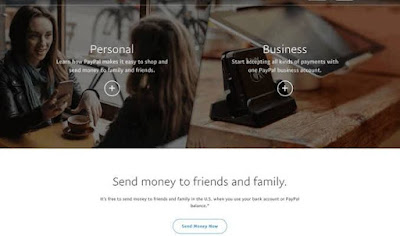
Basically PayPal is an online payment system which makes sending and receiving of money fully secured and safe. With paypal you can link up a bank card and make purchasing from other stores and vendors possible using your PayPal account.

How to create or Setup a Paypal Account

Creating a PayPal account is very much simple all you just need to do to follow the steps below and read carefully.

There are two types of PayPal account that you can create,

  1. Personal PayPal Account
  2. Business PayPal Account

To create a personal or business PayPal account is quite simple, all you need to do is to follow the steps below and when it’s time to choose which account type then you can either go for Personal or Business account.

  1. firstly, you want to head up to locate PayPal website then you click on sign up bottom at the top right corner of the site.
  2. Then you can select the account type you want to create – either personal or business account, then you click on Next
  3. Then you would be prompted to input your phone number and then verify it by the code that would be sent.
  4. Then you will have to Add your full name, email address and password – then click Next
  5. Then Add your address and other info required of you.
  6. Then verify your email address through the link that would be sent to your email address.

PayPal Business loan Requirements

To be able to request a loan from Paypal, you must have a fixed-term loan based on a full picture of your business that
you automatically repay with a predictable weekly payment.​ This is required to ensure that you are able to pay back this loan.

NB; This loan solely implies to business accounts alone.

How to Apply for PayPal Business Loan

Applying for a PayPal loan as a business account isn’t way difficult as you might think all you just need to do is just to follow the steps below and read it carefully so you don’t miss out on anything.

  1. Check Eligibility in 1 minute by filling out this form here
  2. Choose the loan terms and amount that goes well with your business.
  3. After a successful application, if it gets approved then you will get the funds into your account in minutes.

Frequently Asked Questions;

  1. How does Paypal Business Loan Work?

You must complete a 5-10 minute online questionnaire to determine your business’s eligibility. Once the questionnaire is complete, estimated loan terms will be customized by adjusting the loan amount and duration to compare the costs of financing as required for your business.

Once you select your desired terms and completed the application, if approved, you will be prompted to electronically sign a contract that will be emailed to you and includes bank instructions so that payments can be debited weekly from your business checking account.

  1. If Approved how can I get the funds?

Once you get approved for the loan the money will be sent straight away into your account by lender.

Completing the questionnaire form will give you a brighter insight of all you should do and expect.

Copyright © 2023. school gist - All Rights Reserved